
A smarter way to train
Stop
guessing. Start
growing.
An adaptive program that picks your weights and adjusts every session — recalibrated every week. Show up and grow.

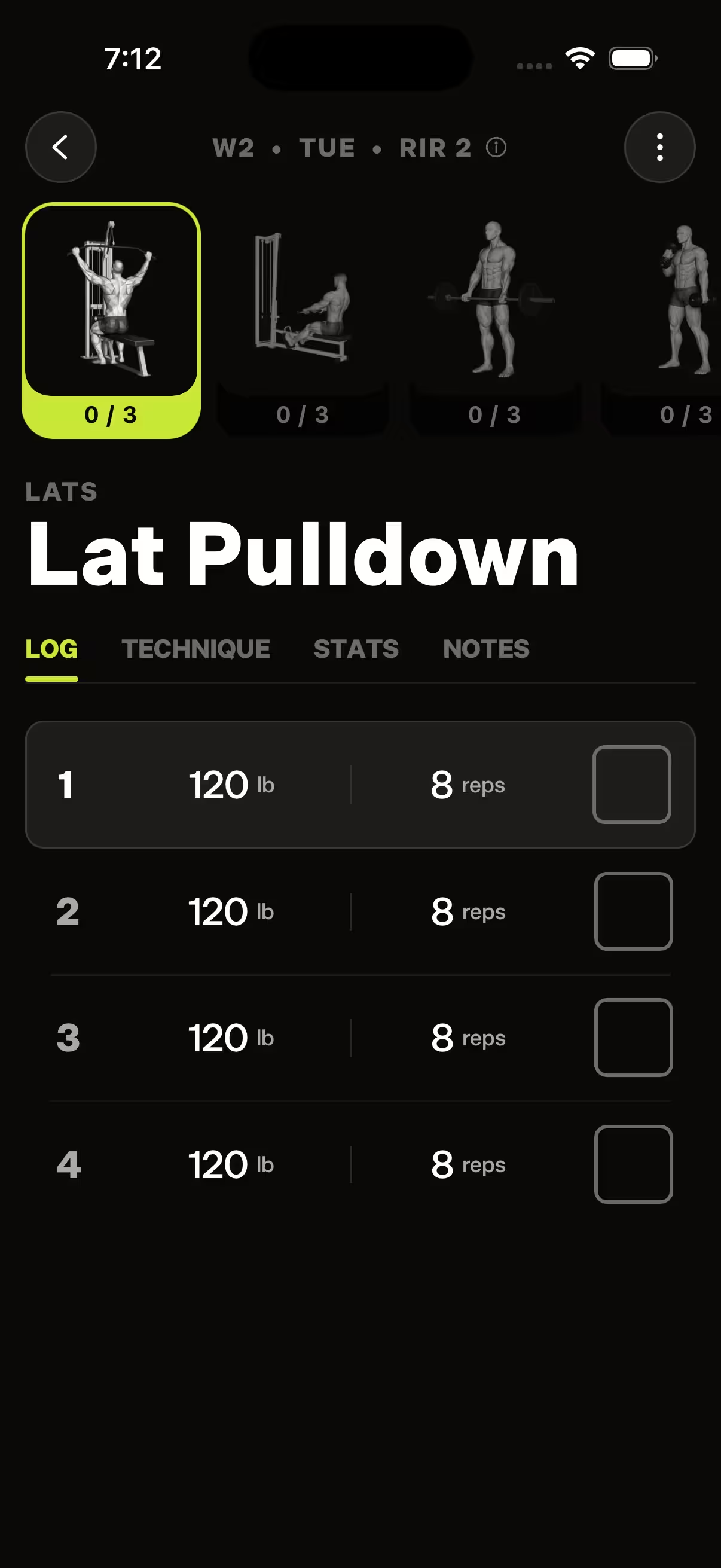
Personalized. Progressive. Simple.
One program.
Calibrated to you.
A template is a guess at the average lifter. Checkfit calibrates to your strength on day one — and adjusts every session after.
- 6 wk
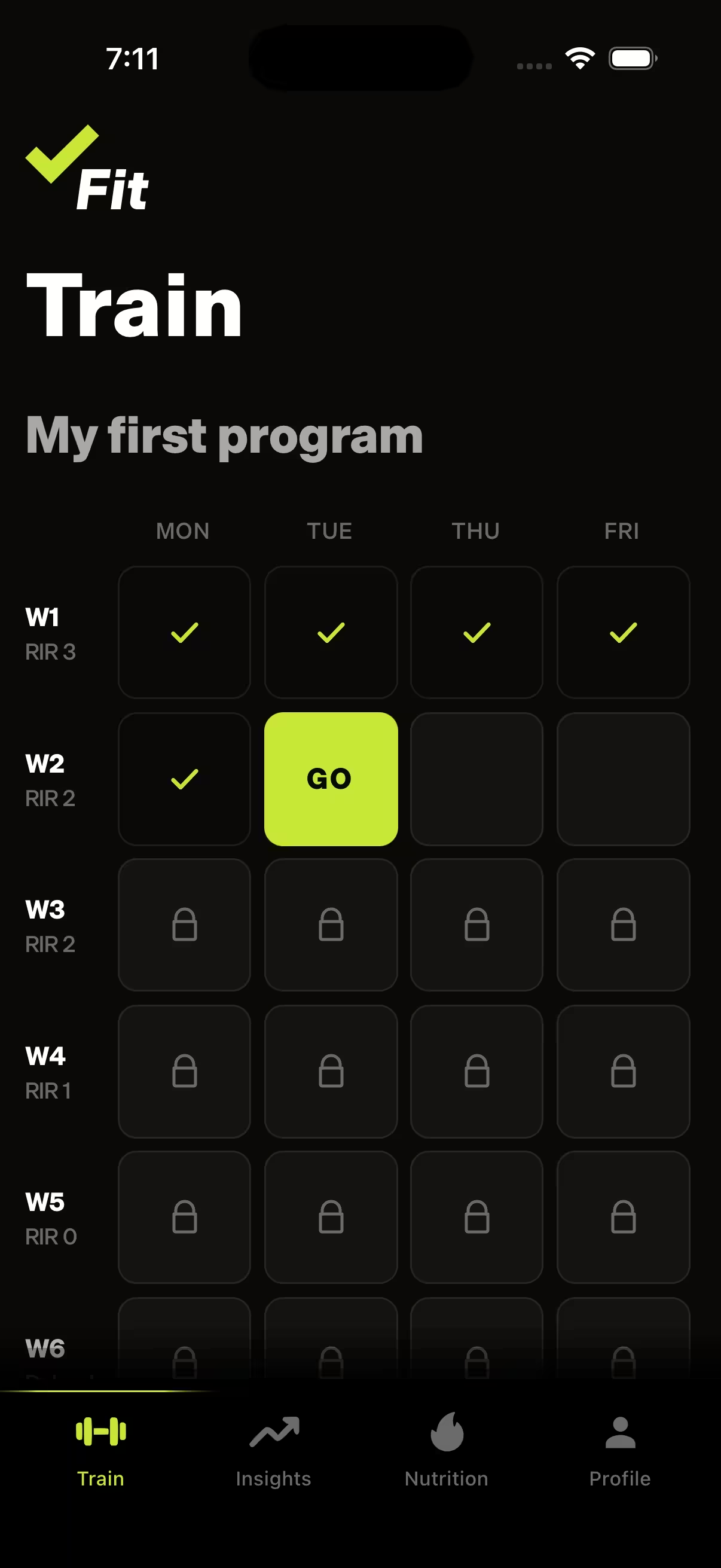
- Programs that progress on their own
- 200+
- Exercises mapped to your equipment
- ∞
- Adapts to every session you log
Clean design. Real progress.
Less to
think about.
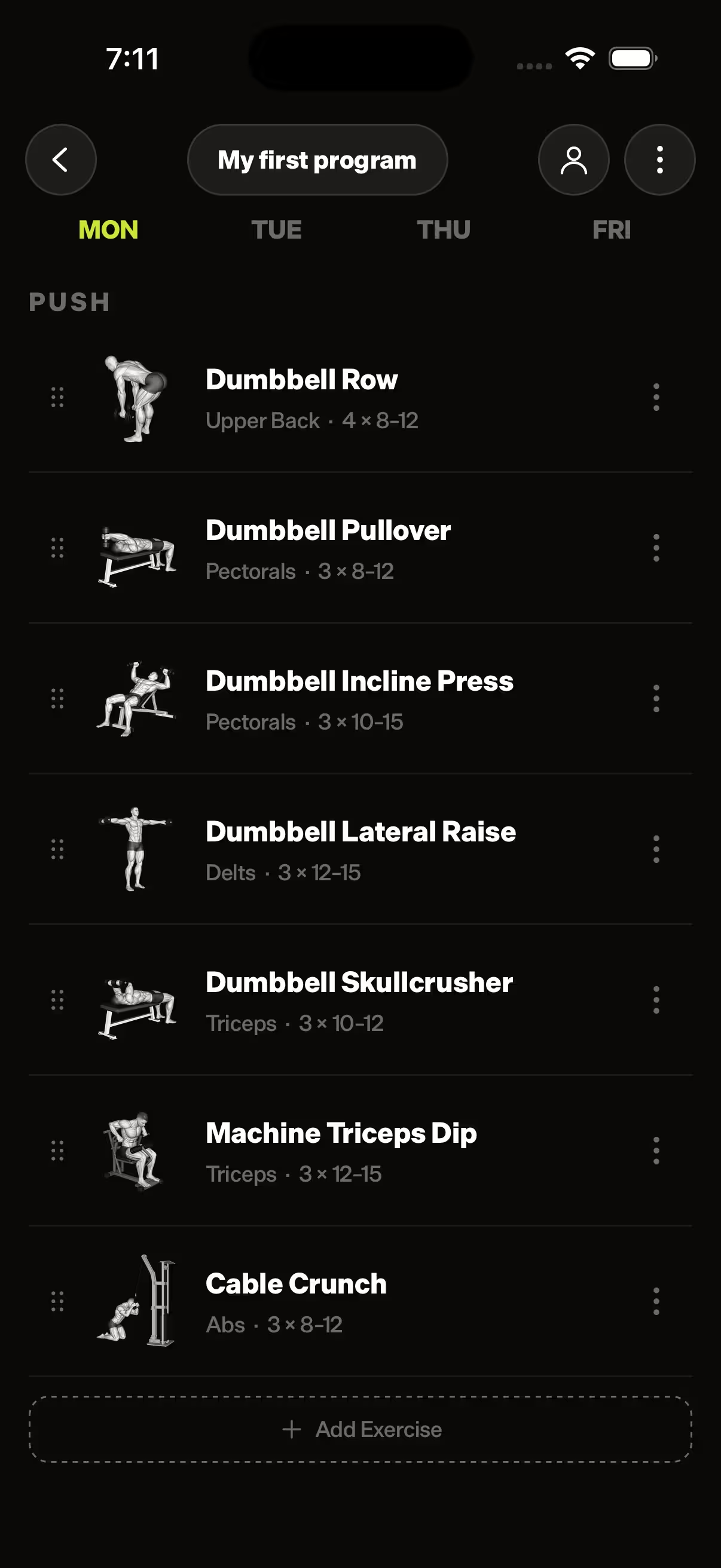
Every exercise organized by day. Weights pre-filled. Tap to confirm each set.
How it works
Three steps.
Then lift.
-
01Calibrate.
Log two lifts you already know. Checkfit sets your starting weights from there.
-
02Train.
Open the app. Weights are picked. Run the session and confirm each set.
-
03Progress.
Every set you log feeds the next session. The program adapts to you.

More than a program
Got a coach?
Checkfit runs your program on its own — no coach required. If you train with one, they can plug in: view your program and tune it directly.
Learn more about coaching →- 01
Invite.
Send your coach an invite. They accept — that’s the whole handshake.
- 02
They tune.
Your coach adjusts your program directly.
- 03
You lift.
Sessions update automatically.
Questions?
We got you.
Quick answers to the most common questions. Anything else? Email hello@checkfit.com.
View all FAQsWhat is Checkfit?
An adaptive strength training app for iPhone and Android. It writes your program, calculates your weights, and tracks every set you log.
Who is this for?
Intermediate-to-advanced lifters who want intelligent programming without hiring a coach. If you've trained for six months or more and want to actually progress, Checkfit is for you.
How does it pick my weights?
From your performance history and RIR (Reps in Reserve) targets. You confirm; the math is done.
Do I need a full gym?
Works with a full gym, home dumbbells, or bodyweight. Tell Checkfit your equipment and it adjusts.
Does it work for women?
Yes. The programming logic responds to your strength and recovery, not your gender.
Can I work with a coach?
Yes. You can connect a coach by username — they can see your training and tune the program with you. Any subscriber can coach, and either side can end it anytime.
How is this different from Hevy or Strong?
Those are loggers — you write the program, they record it. Checkfit writes the program and picks the weights. You just lift. Full breakdowns: Checkfit vs Hevy and Checkfit vs Strong.
Can my coach use Checkfit with me?
Yes. Search your coach by username and send an invite. Once they accept, they can view and tune your program directly. Any subscriber can coach, and either side can end the relationship anytime — no contracts.
Can I cancel anytime?
Yes. Cancel anytime; you keep access until your renewal date.
How do I sign up?
Checkfit is app-only. Download it from the App Store or Google Play and subscribe right in the app — monthly or annual.

Simple pricing
One price.
Stay strong.
- Full 6-week adaptive program
- Auto-picked weights
- 200+ exercise library
- Progress tracking
- Cancel anytime
$17/mo
$200 billed annually · 2 months free
Start growing.
Your program. Your progress. A stronger you.